Thunderbird is an excellent email client and a good alternative to Microsoft Outlook email client if you are looking for a free one. Thunderbird can be used with a lot of email accounts including Gmail. If you are using Thunderbird email client and with Gmail, this this post is about how to integrate Google Calendar with Thunderbird Email client.
Showing posts with label Email. Show all posts
Thursday, May 17, 2018
Thursday, November 16, 2017
How to resolve Drupal unable to send email - contact the site administrator?
In earlier versions of Drupal or for that matter even WordPress, the site could send email notifications easily using the PHP mail function. However, most hosts have disabled the default mail function due to security and vulnerability reasons. Therefore, emails will not go. This is not a Drupal issue as the same issue we see on WordPress as well. In this post, we shall discuss how to let Drupal site send out emails using a third party module.
Sunday, August 20, 2017
How to enable "Send email as" in Gmail to send email on behalf of another email ?
Do you know we can add another email to Gmail and send emails as the new email added? This is especially convenient for website who have email address with website domain and also a Gmail address. In this post, we shall see how to add another email to Gmail and send email from the new email from Gmail.
Friday, June 30, 2017
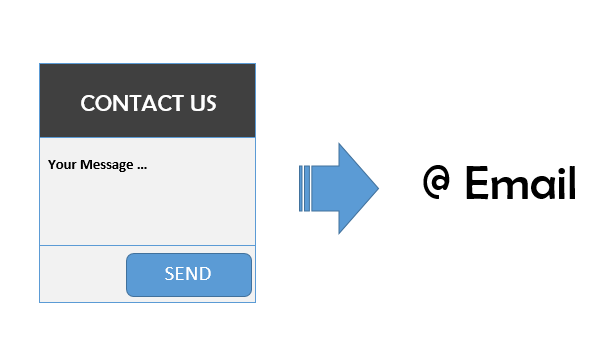
How to receive emails from website using contact forms?
Contact Forms are great to let website visitors contact you for any queries or for specific purpose. Contact Forms are found on most websites nowadays. When we build a website, we usually include a “Contact form" on the website for users to contact us. Once we buy a domain and hosting services from a service provider to host the website, we also usually get email address along with it. And it looks professional to have emails with the website domain name instead of using internet email such as gmail or Yahoo mail. In this post, we shall see how to setup Contact Form and how to receive emails sent from the website.
Tuesday, November 29, 2016
Sunday, November 13, 2016
Email Settings On OSCLASS Website - OSCLASS Mail Server Setup and Configuration
Email services are required by almost every website that need to communicate with users over email even for basic things like emails to users after account creation for activation link, forgot password and contact forms etc. OSCLASS also need email for the above purposes. Configuring Osclass to use mail server is quite easy as OSCLASS includes a pretty simple to understand form for configuring email. In this post, we shall see how to configure OSCLASS mail server for sending emails from the OSCLASS website.
Email Settings On OSCLASS Website - OSCLASS Mail Server Setup and Configuration
Subscribe to:
Posts (Atom)
Google Search Consile Error - Submitted URL marked ‘noindex’
Sitemaps are important from SEO perspective. If you have installed the WordPress plugin Google XML Sitemaps , and you have submitted a link ...
-
F or those using Mi phones, you might as well be using Mi PC Suite to manage your phone from a computer using a USB cable. But lately, Mi P...
-
I f you are using OSCLASS CMS to run a classified ad website and you want to modify the published date of an ad listing, there is no option ...
-
Image Courtesy: Osclass Point If you manage Osclass website and are looking for free and useful plugins, then check out "Success Publis...